Manual Dispatching vs. Odoo Field Service Automation: Which is Better for Dubai SMEs?
 General
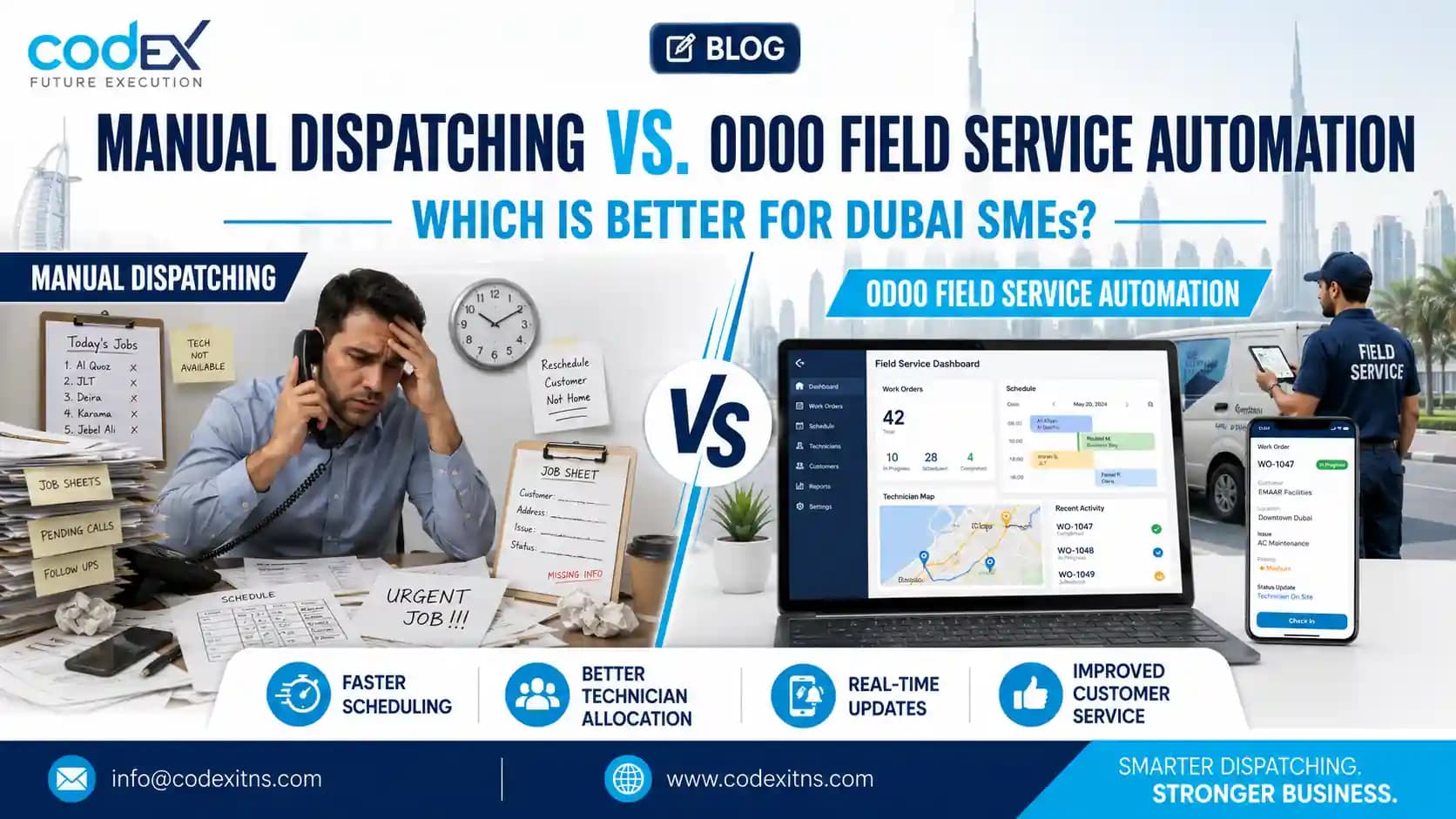
Manual Dispatching vs. Odoo Field Service Automation: How to Schedule and Dispatch Field Technicians in Odoo
For most Dubai SMEs, manual dispatching works only until job volume, travel complexity, and billing pressure expose its limits. If you want to understand How to Schedule and Dispatch Field Technicians in Odoo, the short answer is this: Odoo replaces scattered WhatsApp messages, Excel schedules, and after-the-fact invoicing with a single workflow for planning, assigning, tracking, parts usage, and billing.
This comparison matters because UAE field teams operate under constraints that generic dispatch advice often ignores: Makani-based locations, cross-emirate travel, basement connectivity gaps, van stock control, and the need to capture labor and spare parts accurately for VAT-compliant invoicing. The question is not whether software is more advanced than a spreadsheet. It is whether your service operation still fits a manual model without losing margin, time, and visibility.
In practical terms, manual dispatching means coordinators are continuously reconciling calls, technician availability, customer updates, and inventory status by hand. Odoo Field Service centralizes those moving parts inside the same database as CRM, inventory, accounting, and service history, which is why many firms evaluating service ERP for SMEs look at it as an operational system rather than a standalone scheduling tool.
Side-by-Side Comparison: Manual Dispatching vs. Odoo Field Service
A balanced evaluation starts with the operational differences that affect service delivery every day. The table below focuses on what UAE SMEs typically care about most: job assignment speed, technician control, spare parts usage, billing accuracy, and traceability across multiple branches or emirates.
| Criteria | Manual Dispatching | Odoo Field Service Automation |
|---|---|---|
| Job scheduling | Excel sheets, whiteboards, phone calls, chat groups | Central planning board with scheduled tasks, assigned users, priorities, and deadlines |
| Dispatch visibility | Dependent on coordinator memory and message follow-up | Shared live view of task status, assigned technician, stage, and timing |
| Location handling | Addresses copied manually, often inconsistent | Customer site records, map-based context, and structured service locations |
| Technician updates | Calls or WhatsApp messages after each visit | Mobile task updates, worksheets, signatures, photos, and notes in one record |
| Spare parts control | Van stock tracked informally or reconciled later | Inventory moves, consumed parts, and replenishment linked to the job |
| Invoicing | Prepared later from handwritten notes or chats | Labor and materials can flow directly into billing with accounting integration |
| VAT accuracy | Higher risk of omitted labor lines or unrecorded parts | Better transaction traceability for service items and on-site charges |
| Multi-branch operations | Difficult to standardize across emirates | Common workflows across teams, branches, and companies |
| Management reporting | Manual compilation and inconsistent data | Dashboards and structured service data for utilization and profitability review |
| Best fit | Very small teams with low daily job volume | SMEs needing scale, control, and integration with ERP processes |
Industry research consistently shows why this transition is attractive. According to Gartner, organizations using field service management software see an average 20% increase in first-time fix rates and a 10% improvement in technician utilization. Those gains do not come from “digitization” in the abstract; they come from structured dispatching, faster access to service history, and tighter connection between work orders and parts.
Where Manual Dispatching Still Works, and Where It Starts Breaking Down
Manual dispatching is not automatically wrong. For a small service firm with one dispatcher, a limited service radius, and a handful of technicians doing repeat work in familiar locations, a spreadsheet and phone calls can remain workable for a time. The advantage is simplicity: no implementation project, no process redesign, and low immediate cost.
Its strengths, however, depend on low complexity. Once a team handles urgent callouts, preventive maintenance, installations, return visits, and warranty work at the same time, the coordination overhead rises sharply. One technician gets double-booked, another arrives without the required spare part, and the customer receives an invoice days later because the labor details remained in a chat thread.
Dubai and Abu Dhabi make those weaknesses more visible. Travel windows shift with traffic, technicians move between towers, communities, industrial areas, and remote sites, and dispatchers spend time translating loosely written locations into actual routes. In summer, operations also need to separate indoor and outdoor jobs intelligently instead of treating every appointment slot as equal.
Typical signs the manual model is failing
- Jobs are confirmed in one channel and rescheduled in another.
- Dispatchers call technicians repeatedly to check arrival status.
- Van stock is consumed on-site but entered later, if at all.
- Finance waits for handwritten worksheets before billing.
- Management cannot see technician utilization without manual compilation.
The core limitation is not that people are careless. It is that manual systems store critical service data in too many places. Once that happens, scheduling, inventory, customer communication, and invoicing stop behaving like one process.
How Odoo Field Service Handles Scheduling and Dispatch in Practice
For buyers asking how to schedule and dispatch field technicians in Odoo, the workflow is more operational than theoretical. A service request typically starts from CRM, helpdesk, sales, or a recurring maintenance plan. The coordinator then creates or receives a field task, sets the customer site, adds the service type, assigns a planned date, and allocates the technician based on territory, skill, availability, or workload.
From there, the dispatch process usually runs through the planning view or Gantt-style schedule. The dispatcher drags tasks into open time slots, adjusts duration, checks overlaps, and reassigns when emergencies appear. Because the task already carries customer details, instructions, product information, and prior service notes, technicians are not waiting for separate message threads to understand the job.
A typical dispatch sequence in Odoo
- Create the task from a customer request or contract.
- Set the service address, timing, tags, and priority.
- Assign the technician or team based on skills and geography.
- Send the task to the technician’s mobile view.
- Update status on arrival, during work, and on completion.
- Record time, consumed parts, photos, notes, and customer signature.
- Push approved billable items into invoicing and accounting.
This is where Odoo becomes more than dispatch software. If your operation needs inventory-linked spare parts, financial posting, or custom workflows, the field module can be implemented alongside CRM and service operations for UAE SMEs, and extended through Odoo ERP implementation services in Dubai, Odoo customization services UAE, and Odoo integration services for inventory and accounting. That matters when a field visit should immediately affect stock, receivables, and service history rather than sit outside the ERP.
Limitations should be stated clearly. Odoo still requires proper master data, service categories, user permissions, and implementation discipline. A poorly configured setup will not rescue weak processes; it will only digitize the disorder more visibly.
Strengths, Trade-Offs, and the Best-Fit Use Case for Each Option
Manual dispatching is best for businesses that are genuinely small, operationally narrow, and not yet suffering from data fragmentation. If the owner can still personally monitor daily jobs and invoice preparation is straightforward, introducing ERP too early may add administrative overhead before value is realized. In that scenario, process discipline may matter more than software breadth.
Odoo Field Service is stronger when the business needs coordination across sales, service, inventory, and finance. A typical UAE example is an HVAC, MEP, maintenance, or installation company with technicians carrying van stock, handling urgent jobs, and crossing emirates while finance needs same-day service documentation. In such operations, the platform’s value comes from one shared transaction chain: request, dispatch, execution, materials, approval, and billing.
Another advantage is control over the “WhatsApp chaos” many SMEs recognize immediately. Informal chat groups are useful for quick updates, but they are poor systems of record. They do not enforce required fields, they do not create inventory movements, and they do not provide an auditable basis for service profitability or VAT-ready billing.
There are trade-offs. Odoo requires user adoption, mobile discipline, and process mapping at the start. Some businesses also need role-specific forms, approval logic, or offline-friendly working methods for basements, remote sites, or areas with unstable connectivity, which is why post-go-live planning and structured support after implementation should be part of the buying decision rather than an afterthought.
Which Should You Choose? Decision Criteria for Dubai and UAE SMEs
The choice becomes clearer when you evaluate complexity instead of software features in isolation. If your dispatch model depends on one experienced coordinator who “knows everything,” you have concentration risk. If technicians record parts later from memory, you have margin leakage. If finance waits until the end of the week to reconstruct service invoices, you have both cash-flow delay and compliance exposure.
Choose manual dispatching only if most of the following are true: job volume is low, locations are predictable, technicians do not carry significant stock, service history is simple, and delayed invoicing does not create operational pain. Even then, you should document the process tightly so growth does not immediately create disorder.
Choose Odoo Field Service when any of these conditions apply:
- You need live visibility of who is doing what, where, and when.
- You want labor, parts, and signatures captured on the same service record.
- You operate across Dubai, Abu Dhabi, Sharjah, or other emirates with distributed teams.
- You need service work connected to inventory, customer contracts, and accounting.
- You want to plan around summer heat windows by separating outdoor tasks from indoor work.
- You need faster invoicing with cleaner records for VAT treatment.
For most growing SMEs, the tipping point is not company size alone but operational variability. The more exceptions your dispatcher handles every day, the more value there is in structured automation. Businesses considering a rollout should also plan data cleanup, technician training, and Odoo support and maintenance for UAE businesses so the system remains useful after launch, not just during implementation.
If your team is comparing spreadsheet dispatching with an integrated field service workflow, Codex can help assess fit, map the real process, and configure Odoo around UAE service operations rather than a generic template. The right next step is a process review focused on dispatch, van stock, billing, and branch coordination.
Related Articles
- How Odoo Erp For Small Business Enables Uae Smes To Integrate Crm And Service Operations
- Service Oriented Smes Solution
- Odoo Erp Implementation Services Strategies For Smooth Post Go Live Operations
- Odoo Erp Implementation Services What Optical Businesses Must Ask Before Choosing An Erp
- Best Practices For Error Free Data Migration With Odoo Implementation Services
- 5 Reasons Odoo Implementation Services Drive Business Growth
How to Schedule and Dispatch Field Technicians in Odoo
Compare manual dispatching with Odoo Field Service and learn how to schedule and dispatch field technicians in Odoo for UAE SMEs.
Related solution: Field Service and AMC Management Software explains how Codex handles this workflow for UAE businesses.
Planning AMC or field service operations? See how Codex connects service contracts, technician visits, renewals, spare parts, and invoicing in one Odoo workflow. Explore Field Service and AMC Management Software or talk to Codex for a guided consultation.
Frequently Asked Questions
How do you schedule and dispatch field technicians in Odoo?

What are the main problems with manual dispatching for SMEs?
Is Odoo Field Service suitable for small and mid-sized companies in Dubai?
Can Odoo integrate field service with inventory, invoicing, and accounting?
Can Odoo Field Service work when technicians have poor connectivity?
How long does it take to implement Odoo Field Service in the UAE?