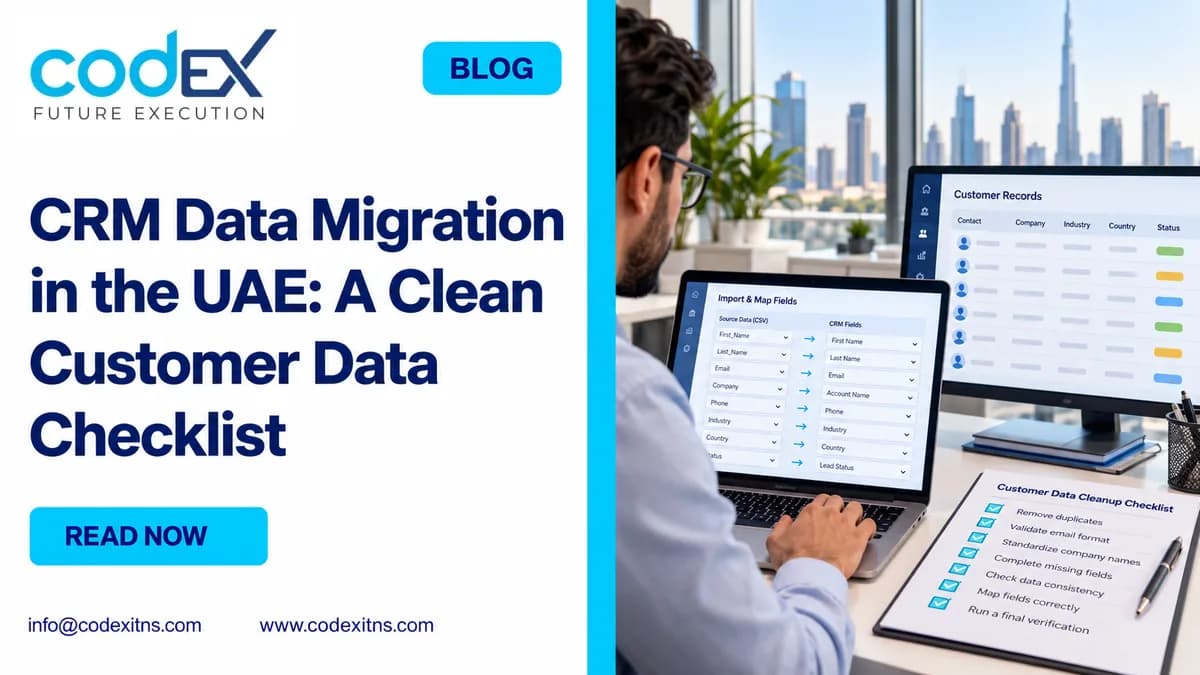
Safe crm data migration into Odoo starts with a narrow scope, clean exports, tested field mapping and a controlled cutover plan. If you are moving customer, company, contact and open-opportunity data from spreadsheets or a legacy CRM in the UAE, the lowest-risk approach is to decide exactly what will move, protect the source data before any import, test in staging, validate relationships and only then cut over.
What is customer-data migration? In this context, it means transferring active business records from one source into Odoo CRM while preserving the relationships that make those records usable: which contacts belong to which company, which salesperson owns each opportunity, which stage it is in, and which records should stay archived instead of being imported.
This guide is intentionally narrow. It does not cover accounting balances, inventory, or general ERP migration. It focuses on the data UAE sales and operations teams usually need on day one: customers, companies, branch contacts, and open deals. Where your project includes custom logic or third-party sync requirements, we usually scope that separately under custom development and system integrations rather than treating it as a standard import.
1. Define exactly what will move, who owns it, and what will stay behind
Start by naming the migration owner on the business side and the owner on the implementation side. In most UAE SMEs, the sales manager knows the pipeline quality, while operations or IT controls source exports and user access. If nobody owns final sign-off, duplicate cleanup and last-minute scope changes will delay cutover.
Scope should be explicit and written down. For this article, the recommended baseline scope is: active companies, customer contacts, branch-specific contacts where relevant, and open opportunities that still require follow-up. Closed-lost records, stale leads, incomplete website enquiries and private notes that have no operational value should be reviewed before import instead of being moved by default.
Question: what data should be migrated from spreadsheets or a legacy CRM into Odoo? Answer: move only records that your team will work on after go-live. That usually means current accounts, named decision-makers, valid phone and email details, assigned salespeople, and open deals with realistic next steps. Historical noise increases import effort without improving adoption.
UAE-specific detail matters here. If your sales team works across Dubai, Abu Dhabi and Sharjah branches, decide whether branches will be separate companies, delivery sites or contact addresses before mapping starts. The same applies to Arabic and English naming. If both are operationally needed, define which field holds the legal or preferred commercial name and which field holds the alternate language name.
Tip: freeze the definition of “active” before data cleansing begins. Common mistake to avoid: letting each salesperson decide individually which old opportunities still matter.
2. Audit the source files and protect them before any import
Before cleaning a single row, identify every source that feeds the current customer list. UAE businesses often have more than one: Excel sheets by salesperson, an old hosted CRM, Outlook contacts, web-form exports, and sometimes branch-specific CSV files. Build a source register with file name, owner, last-updated date, row count and access location.
Then create protected exports and backups. This is not optional. Odoo import work should start only after you have saved read-only source exports, documented exactly when they were taken, and confirmed that a restore path exists for the target environment. Odoo 19 documentation makes an important practical point: imports are not something you should expect to simply undo record by record, so your plan should include verified backups, a staging test and controlled cutover rather than assuming an easy rollback after mistakes, according to Odoo Documentation.
For a legacy CRM, ask for a full export of the objects in scope, not just a screen-level report. For spreadsheets, lock a master file and stop parallel edits in copied versions. We also recommend preserving an untouched export package, then working only from a controlled cleansing copy. That separation prevents accidental overwrites and gives you a reliable audit point during sign-off.
If your Odoo project includes a broader deployment, this data control step should sit inside your full-cycle Odoo implementation plan, not as an afterthought. Source protection, test imports and user validation need dates, owners and approvals like any other go-live task.
Tip: record export timestamps down to date and time if opportunities continue changing daily. Common mistake to avoid: cleaning a live spreadsheet while salespeople still edit the same file.
3. Map companies, branches, contacts and opportunities before cleaning rows
Field mapping should happen before mass cleanup because it tells you what “clean” actually means. In Odoo, the same source column may not map to the same target object. For example, a branch name might need to become a child contact, a delivery address, or a tagged company depending on how your team sells and services accounts.
Question: what is the safest import order? Answer: import parent companies first, then contacts linked to those companies, then open opportunities linked to both company/contact and assigned owner. If you reverse that order, you risk broken relationships, orphan contacts and opportunities that cannot be routed or reported correctly.
Keep external identifiers stable from the first test to final cutover. If the same source company receives different IDs in separate test files, reconciliation becomes difficult. More importantly, never allow two records to share the same External ID. That can create collisions during repeat imports and updates.
Sample field-mapping structure
Illustrative records only: the names, IDs and phone below are examples, not customer references. Confirm the actual field labels in your selected Odoo model and version.
| Source object | Source field | Target in Odoo | Example value | External ID rule |
|---|---|---|---|---|
| Company | Account Name | Company Name | Al Noor Trading LLC | company_001 |
| Company | Main Phone | Phone | +971 4 123 4567 | Keep same ID across all test and live imports |
| Contact | Contact Full Name | Contact Name | Omar Khalid | contact_001 |
| Contact | Parent Account | Related Company | Al Noor Trading LLC | Link contact_001 to company_001 |
| Opportunity | Deal Title | Opportunity | Warehouse expansion phase 1 | opp_001, unique per deal |
| Opportunity | Owner | Salesperson | Fatima A. | Map only to valid active Odoo users |
| Opportunity | Stage | Pipeline Stage | Proposal Sent | Match approved stage names only |
Where teams need post-migration process design, use a defined stage model before importing open deals. Our practical reference on Odoo CRM pipeline stages and follow-up rules helps avoid forcing old, inconsistent stage labels into a new system.
Tip: map choice fields such as stage, country and owner against a controlled target list. Common mistake to avoid: cleaning free-text values first and only later discovering there is no matching target field or user.
4. Remove duplicates and standardize the fields UAE teams actually use
Deduplication is where many CRM projects either become useful or remain noisy. Start with company-level duplicates, then contact-level duplicates within each company, then opportunity-level duplicates by account, contact and expected close context. Do not begin with opportunities; if the parent records are wrong, deal cleanup becomes harder.
Question: how do we avoid duplicate contacts and companies? Answer: choose a primary matching rule and a manual-review rule. A practical primary rule is company name plus main phone, or company name plus website domain where available. For contacts, use full name plus mobile or email, but route common names to manual review instead of auto-merging.
UAE data needs normalization before duplicate checks work well. Use international country codes: +971 for UAE numbers and the correct codes for overseas contacts. Preserve extensions separately and keep phone columns as text. Decide how to store emirate-specific landlines, mobile numbers and extensions. Normalize company suffixes such as LLC, L.L.C or FZ-LLC only if your business agrees that they should not create distinct legal records. Also decide whether trade names and legal names will both be kept.
Clean identifiers with business purpose, not perfectionism. If your team never filters by nationality, passport or unsupported custom notes, those columns do not deserve equal effort. By contrast, sales ownership, branch relationships, email validity and next-action dates have immediate operational impact on go-live.
If source data includes different lead owners or website-enquiry references that later feed another app, review integration implications before deleting columns. Our team commonly checks those dependencies alongside broader integration planning for UAE businesses so one cleanup decision does not break later sync requirements.
Tip: separate “merge” from “archive.” Some duplicates should be archived, not combined, when records refer to different legal entities in the same group. Common mistake to avoid: deduplicating on email alone when generic addresses such as sales@ or info@ are shared across multiple contacts.
5. Separate standard imports from custom items and test in staging first
Not everything visible in an old CRM belongs in a standard import file. Core customer, company, contact and opportunity records are usually suitable for controlled CSV import. Attachments, email history, logged call history and complex activity trails are different. You should not promise automatic migration of those items unless the project has specifically scoped, tested and approved a custom method.
Question: can attachments, email history and activity history be imported? Answer: sometimes parts of that history can be migrated with custom work, but it should be treated as a separate stream with technical validation, not assumed as standard behavior. For many teams, the practical decision is to migrate current records cleanly, preserve legacy history in an accessible archive, and only custom-build what users truly need in Odoo from day one.
Run a small staging test before any production import. A good first pass is a mixed sample that includes one company with multiple contacts, one branch structure, one opportunity in each active stage, and one edge case with incomplete data. The purpose is not row volume; it is relationship testing. Confirm that parent-child links, owner assignments, tags, stage names and filters work exactly as expected.
When evaluating CRM software in the UAE, assess migration scope alongside process design because import structure and daily workflows affect each other. If the sample test exposes missing fields or workflow gaps, fix the model before the full load. Do not “import now and tidy later” unless you are willing to accept user distrust at go-live.
Tip: keep a change log between test rounds so you know whether a mismatch came from source data, mapping logic or target configuration. Common mistake to avoid: treating a successful file upload as proof that the records are operationally correct.
6. Validate, cut over, and finish with sign-off and rollback controls
Final validation should compare source and target by object and by business logic. Count imported companies, contacts and open opportunities, but do not stop there. Review whether each open opportunity has the correct owner, stage, linked customer and next action status. A count can match while the relationships are still wrong.
Question: how do we validate ownership, stages and open activities after import? Answer: create a business test list and make users sign off on actual records, not summaries. Sales managers should review open deals by owner and stage. Operations or CRM admins should review branch relationships, duplicate alerts and search behavior. If tasks or activities are part of your planned go-live scope, validate their dates, owners and record links explicitly.
Cutover and rollback checklist
- Freeze window approved: define when legacy updates stop and who can authorize exceptions.
- Delta file prepared: capture changes made after the first full test export and before final cutover.
- Production backup verified: confirm that restore procedures are available and tested for the target environment.
- Import sequence locked: companies, then contacts, then opportunities, then approved follow-up items if in scope.
- User validation completed: named reviewers sign off counts, ownership, stage placement and sample records.
- Rollback trigger defined: state the conditions that justify restore or re-import, such as broken relationships or major ownership mismatches.
- Legacy archive retained: keep protected exports and legacy access for reference during early hypercare.
Rollback should be realistic, not theoretical. Because imports are not simply reversible, your rollback options are usually one of three: restore the target from a verified backup, delete and re-import only if you are certain the loaded set is isolated and understood, or hold go-live and continue working in the legacy system during a short correction window. The right choice depends on environment control, business timing and the exact defect found.
Finish with a sign-off checklist that records who approved what. At minimum, include: source export approved, mapping approved, staging test passed, duplicate review completed, production import completed, sample record review passed, and cutover accepted by the sales owner. If you need help scoping a low-risk move from spreadsheets or a legacy CRM into Odoo, Codex ITNS can review your migration approach, field mapping and cutover controls through a CRM migration scoping discussion.
Related Articles
- Best Practices For Error Free Data Migration With Odoo Implementation Services
- How Odoo Erp For Small Business Enables Uae Smes To Integrate Crm And Service Operations
- Odoo Crm Pipeline Uae Stages Follow Up Rules
- Odoo Implementation Checklist Uae 15 Decisions Before Go Live
CRM Data Migration UAE: Clean Customer Checklist
Practical CRM data migration checklist for UAE teams moving customer, contact, company and opportunity data into Odoo safely.
