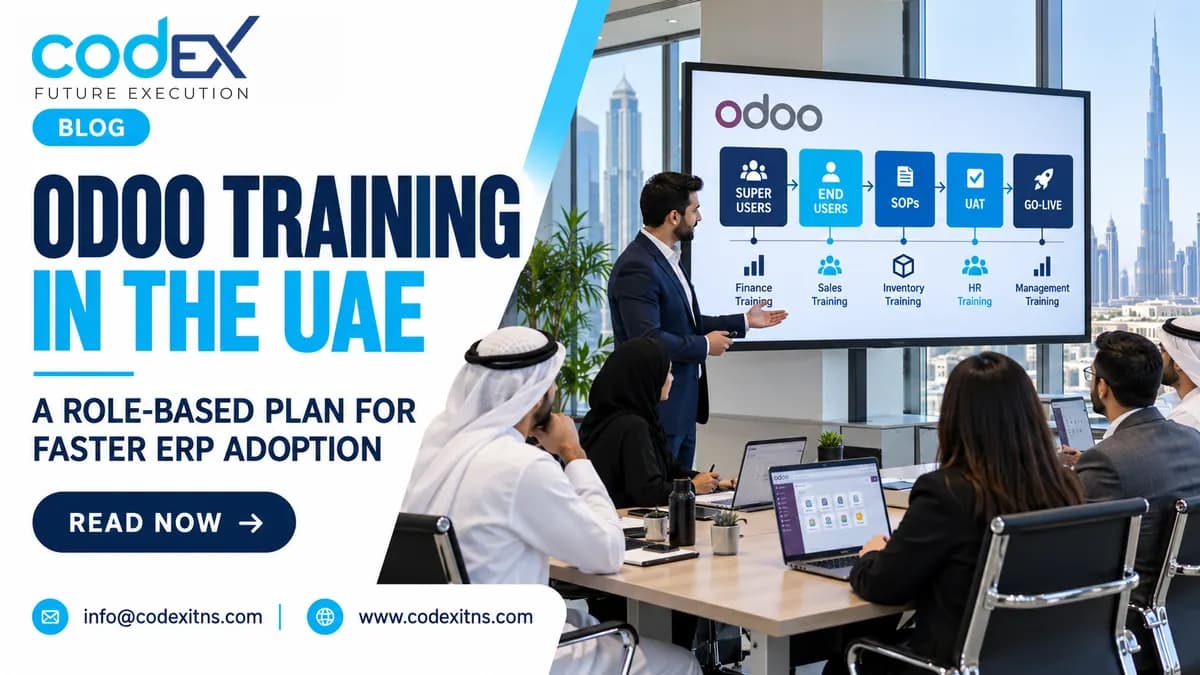
Odoo Training in the UAE: A Role-Based Plan for Faster ERP Adoption
 General
Odoo Training in the UAE: A Role-Based Plan for Faster ERP Adoption
Effective odoo training is not a one-time product demo. For UAE SMEs, it is a structured enablement plan that prepares each department to execute real transactions, follow approved workflows, and work confidently from UAT through go-live. If you want faster ERP adoption, fewer workarounds, and clearer ownership, build training around user roles, business scenarios, and post-launch support.
What is Odoo training? It is the planned process of teaching business users, supervisors, approvers, and administrators how to complete their day-to-day work inside Odoo using the company’s configured data, permissions, forms, and SOPs. In practice, good Odoo ERP adoption in the UAE depends less on generic feature walkthroughs and more on whether stores, projects, warehouses, finance teams, and HR teams can execute live workflows correctly.
1. Start with a training needs analysis before you build the schedule
The best role based Odoo training starts before the first classroom session. Map departments, transaction volumes, approval layers, branch structure, and language preferences, then identify who creates, reviews, approves, posts, and reports on each process. In a UAE SME, that usually means separating finance, sales, purchase, inventory, HR, service, and project users rather than inviting everyone to the same session.
Ask three direct questions early. Who uses Odoo every day? Those users need hands-on transaction training. Who only approves or reviews exceptions? They need shorter approval-path training with dashboard and audit-trail focus. Which teams depend on mobile or shop-floor execution? They need device-specific practice, not slide decks.
Build the plan from the implementation scope, not from module names. If your company is following a full-cycle Odoo implementation approach, the training matrix should mirror the approved fit-gap, user roles, master-data ownership, and sign-off points. That keeps training aligned with how the system is actually configured, especially when workflows include local payroll handoffs, multi-branch approvals, or industry-specific flows such as van sales or optical retail.
Common mistake to avoid: scheduling training before user permissions, forms, and process decisions are finalized. Users remember confusion more than concepts; train on near-final workflows, not moving targets.
2. Define roles, responsibilities, and separate end-user enablement from technical training
Odoo user training Dubai projects often fail when companies confuse end-user readiness with technical capability. A purchasing executive needs to create RFQs, compare quotations, receive goods, and manage exceptions. A technical developer or system administrator may need model logic, access rights, API behavior, or custom-field impact. Those are different audiences, different materials, and different outcomes.
Role-based responsibility table
| Role group | Primary training focus | Owner | Output expected |
|---|---|---|---|
| Transaction users | Create daily documents, process exceptions, follow SOPs | Department lead and trainer | Users complete live scenarios without prompts |
| Approvers | Review queues, validate controls, approve or reject correctly | Process owner | Consistent approval decisions and escalation use |
| Super users | Cross-functional troubleshooting, first-line support, refresher coaching | Project sponsor | Department champions ready for go-live week |
| Administrators | User setup, master-data governance, report access, basic configuration awareness | ERP lead | Controlled administration and cleaner support tickets |
| Technical team | Customization logic, integrations, environments, change control | Implementation partner | Safe technical maintenance outside user training scope |
Which roles should become super users? Choose people who understand operations, can explain process logic, and are trusted by their teams. In a warehouse, this may be a shift lead; in finance, a senior accountant; in HR, a payroll coordinator working closely with attendance and employee records, especially if the company is implementing payroll and WPS workflows in Odoo.
For partner-led projects, this role clarity is one reason UAE firms prefer a local Odoo partner in the UAE that can coordinate business-user sessions separately from technical knowledge transfer. For a broader view of partner responsibilities, see how an Odoo ERP company supports operational improvement.
Practical tip: publish one responsibility matrix before training starts. If nobody owns data cleanup, SOP sign-off, or attendance tracking, training quality drops immediately.
3. Build workshops around real scenarios, not generic feature tours
The fastest path to Odoo end user training success is scenario-based practice in a sandbox that mirrors your configured environment. Users should train on your chart of accounts, warehouses, product categories, project stages, approval limits, and document templates. That is especially important in the UAE, where many businesses run multiple branches, mixed VAT-sensitive document flows, and bilingual user teams.
Use workshop exercises that match the company’s operating model. A trading business can simulate item receipt, lot assignment, backorder handling, and customer invoicing. A service business can run enquiry-to-quotation, field dispatch, timesheet confirmation, and billing; that workflow is close to the service patterns discussed in this guide to CRM and service operations for UAE SMEs. A project business can rehearse purchase requests, subcontractor-related approvals, and cost review by project code.
Examples of realistic workshop exercises
- Warehouse: receive partial quantity, identify short supply, process internal transfer, then validate stock impact.
- Finance: post supplier bill, match payment, review aging, and trace the source transaction.
- Retail or branch operations: process item sale, return, and replacement while checking stock visibility by branch.
- HR: submit leave, approve request, validate attendance impact, and review payroll input readiness.
Industry context matters. Optical chains need customer history, appointments, and stock accuracy across branches; training should reflect those flows if the company is evaluating Odoo ERP for optical stores and chains. Distribution teams using route-based selling need mobile invoice and collection discipline, so exercises should align with van sales ERP workflows.
Common mistake to avoid: using vendor sample data with unrealistic items and customers. Users disengage when examples do not resemble their actual work.
4. Turn UAT into training handoff, SOP readiness, and go-live preparation
When should Odoo end-user training happen during an ERP implementation? Formal role training should start after key workflows are stable enough for UAT, not before design decisions are complete and not so late that users see the live system for the first time at launch. The most effective handoff is to convert tested UAT scenarios into training scripts, job aids, and department SOPs.
Here is the practical sequence. First, business process owners execute UAT with implementation consultants and log gaps, approvals, and exception handling. Second, once workflows are accepted, those UAT scripts become end-user exercises with step-by-step instructions, required fields, and expected outputs. Third, super users co-deliver sessions so the department hears process intent from internal owners, not only from the partner team.
What should the handoff package include? At minimum: approved process map, user-role matrix, transaction scripts, screen-by-screen SOPs, master-data rules, issue-reporting path, and go-live contacts. If decision-makers are still reviewing budget impact or phase scope, align training planning with implementation priorities and hidden effort areas discussed in this Odoo ERP cost and implementation effort guide.
For organisations searching "odoo partner dubai" or "odoo partner uae," one practical test is whether the partner can show a UAT-to-training method rather than only a deployment checklist. A structured approach from Codex should connect fit-gap, configuration, testing, SOPs, and user readiness into one implementation stream.
Practical tip: record unresolved UAT exceptions separately from training questions. Mixing the two hides process defects and wastes training time.
5. Stabilize adoption after go-live with super users, support measures, and refreshers
Go-live is the start of behavioral change, not the end of training. In the first weeks, users encounter edge cases: duplicate vendors, wrong units of measure, unposted entries, blocked approvals, or branch transfer confusion. The support model should therefore include floor support, hypercare triage, daily issue review, and short refresher sessions by department.
How can UAE companies measure whether Odoo adoption is actually improving after go-live? Track operational indicators rather than vague satisfaction scores. Review whether transactions are posted on time, whether approval queues are aging, whether users still rely on offline spreadsheets, whether master-data corrections are increasing, and whether reports can be produced without manual reconstruction. These measures tell project sponsors where retraining or process adjustment is needed.
Post-go-live support should also cover new staff onboarding and role changes. A company that grows from one branch to several, or expands from accounting and inventory into service or MES-related production workflows, needs periodic enablement refreshes. That is why training planning should sit alongside broader implementation governance, department process updates, and local support expectations from an Odoo partner UAE businesses can work with directly.
If your teams need a practical plan covering role-based sessions, workshop scripts, SOPs, UAT handoff, and post-go-live stabilization, speak with Codex about Odoo training and adoption planning through the contact page. The goal is not more slides; it is a training model your finance, operations, HR, service, and branch teams can actually use.
Summary checklist
- Map departments, users, approvers, super users, and administrators.
- Train on configured workflows, permissions, and real company data structures.
- Separate end-user enablement from technical developer training.
- Convert UAT scripts into workshop exercises and SOPs.
- Run role-based practice in a sandbox before go-live.
- Assign super users and define first-line support paths.
- Measure adoption with transaction timeliness, approval backlog, spreadsheet dependence, and error patterns.
- Schedule refreshers for new hires, new modules, and process changes.
Related Articles
- Odoo Erp Cost In Uae Pricing Implementation Hidden Expenses Explained
- The Complete Guide To Odoo Erp Implementation In The Uae 2026 Edition
- How An Odoo Erp Company Helps Uae Companies Improve Efficiency
- How Odoo Erp For Small Business Enables Uae Smes To Integrate Crm And Service Operations
- Construction Erp Software Vs Separate Tools Uae
- Optical Erp Implementation Uae Checklist
Odoo Training in the UAE for Faster ERP Adoption
Practical odoo training plan for UAE SMEs: role-based user training, UAT handoff, SOPs, super users, go-live support and adoption tracking.
Need a van sales rollout for your field team? Review the Codex van sales solution for route planning, mobile ordering, stock control, invoicing, payments, and daily reporting. Explore Odoo Van Sales Solution or talk to Codex for a guided consultation.
Frequently Asked Questions
What is the best way to structure Odoo training for different user roles?

When should Odoo end-user training happen during an ERP implementation?
How is Odoo user training different from Odoo technical or developer training?
Who should become super users during an Odoo implementation?
How can UAE companies measure whether Odoo adoption is improving after go-live?
Do small UAE businesses need formal Odoo training, or is it only for large implementations?